
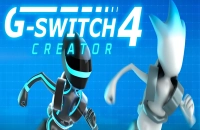































































Play G Switch 4 Online
Get ready for an exciting and fast-paced adventure with G Switch 4, a casual browser game that challenges your reflexes and timing. This game offers a unique experience where gravity plays a key role, making every move thrilling and unpredictable. You can easily play G Switch 4 online right here in your browser with no download needed. Whether you're a kid or just looking for a quick fun break, this game is a perfect choice for casual gaming moments.
About G Switch 4
G Switch 4 is a gravity-based platformer where players control a running character that can switch gravity to avoid obstacles and keep moving forward. The gameplay is simple but challenging: you must flip the gravity at the right time to avoid falling or crashing. As a casual game, it’s designed to be easy to pick up but hard to master, keeping players engaged with fast reflex challenges and smooth controls. The minimalistic graphics and fast action make it a perfect game to play in short bursts or longer sessions.
How to Play G Switch 4
The goal in G Switch 4 is to run as far as possible without hitting any obstacles or falling off the platform. The track is filled with different shapes and barriers that require quick thinking and timing to navigate.
To start playing, simply load the game in your browser and press the start button or any key to begin. Your character will automatically run forward, and your main task is to switch gravity at the right moments to keep going.
Mastering Gravity Flips for Smooth Runs
One of the most unique features of G Switch 4 is the gravity flip mechanic. Unlike traditional platformers where you jump over obstacles, here you flip the direction of gravity to run on the floor or ceiling. This twist makes each level dynamic and unpredictable.
Timing your gravity switches carefully is essential to avoid traps and gaps. The game speeds up as you progress, so staying calm and keeping your focus is key. Each successful flip can open the path ahead or help you dodge tricky obstacles, making every moment feel rewarding.
G Switch 4 Controls
The controls in G Switch 4 are straightforward and designed to be accessible for all types of players. Depending on your device, you may use keyboard, mouse, or touch controls.
- Keyboard: Press the spacebar or any key to flip gravity.
- Mouse: Click anywhere on the screen to switch gravity.
- Touch Devices: Tap the screen to flip gravity.
Tips and Tricks for G Switch 4
- Practice timing your gravity flips to get a feel for the game’s rhythm.
- Stay focused as the game speeds up; quick reactions are essential.
- Look ahead to anticipate obstacles and plan your flips early.
- Don’t be discouraged by mistakes—each attempt helps you improve.
- Use short, controlled flips instead of holding the control for too long to avoid unexpected falls.
Why Play G Switch 4 on Adventuregames.io?
Playing G Switch 4 online on Adventuregames.io gives you instant access to this fun and casual game without any hassle. You don't need to worry about downloads or installations, making it convenient to jump into the action anytime. Plus, the site offers a great way to discover many other exciting games in a similar style, helping you find new favorites easily.
Similar Games You May Like
If you enjoy the fast-paced and gravity-switching action of G Switch 4, you might also like these games that offer fun challenges and quick gameplay:
Frequently Asked Questions About G Switch 4
Is G Switch 4 free to play?
Yes, G Switch 4 is completely free to play online. You can enjoy it anytime without any cost.
Can I play G Switch 4 online?
Absolutely! G Switch 4 is designed to be played directly in your web browser, allowing easy access without any downloads.
Do I need to download G Switch 4?
No download is required. The game runs smoothly online, so you can start playing right away on supported browsers.
What are the controls for G Switch 4?
You can use your keyboard (spacebar or any key), mouse clicks, or tap on touch devices to switch gravity and keep running.
How can I improve my performance in G Switch 4?
Focus on timing your gravity flips carefully and anticipate obstacles early. Practice helps you get better at reacting to the increasing speed and tricky levels.
Comments
No comments yet. Be the first to comment.