
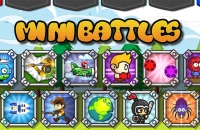








































Play Minibattles Online
Minibattles is an exciting action game that brings fast-paced fun right to your browser. Players can jump into quick, thrilling combat scenarios that test their skills and reflexes. Whether you're a kid or just looking for a casual gaming break, Minibattles offers an enjoyable experience that’s easy to access and play. Best of all, you can play Minibattles online with no download required, making it perfect for instant fun anytime.
About Minibattles
As suggested by its name, Minibattles is all about small but intense battles that keep the action moving quickly. Being an action game, it focuses on player skill and reaction times, providing short but engaging fights or challenges. The game runs smoothly in a browser and invites players to test their combat abilities in a simple yet entertaining way. You can expect dynamic gameplay that delivers quick rounds of fun without any complicated setup.
How to Play Minibattles
The goal in Minibattles is straightforward: engage in fast battles and come out on top. Starting the game is easy—simply load it in your browser, and you’re ready to jump right into the action. Most often, you’ll control a character or unit and use your movement and attack skills to defeat opponents or complete objectives. The game encourages quick thinking and speedy responses, making every match exciting and unpredictable.
Mastering Fast-Paced Action in Minibattles
Success in Minibattles depends on how well you can manage your movements and attacks in rapid sequences. The game challenges your reflexes and demands constant attention to your surroundings. Staying alert and reacting quickly to enemies’ moves is key. Each battle is a chance to sharpen your timing and decision-making, making the gameplay both fun and rewarding for action lovers.
Minibattles Controls
Controls in Minibattles are typically user-friendly and depend on the platform you are playing on. The game may use a combination of keyboard, mouse, or touch controls, allowing you to navigate your character and perform actions easily.
- Use keyboard keys for movement and actions
- Mouse may be used for aiming or selecting targets
- Touch controls are supported on devices with touchscreens
Tips and Tricks for Minibattles
- Stay on the move to avoid enemy attacks and stay unpredictable
- Learn the timing of your attacks to maximize damage
- Keep an eye on your surroundings for power-ups or hazards
- Practice quick reactions to improve your chances in fast battles
- Try different strategies to find what works best against various opponents
Why Play Minibattles on Adventuregames.io?
Playing Minibattles on Adventuregames.io offers a hassle-free gaming experience with instant access through your browser. There’s no need to worry about downloads or installations, making it easy to start playing right away. The platform also hosts a variety of other fun action games, so you can discover new favorites after enjoying Minibattles. It’s a great place for quick gaming sessions whenever you want.
Similar Games You May Like
If you enjoy the fast action and thrilling battles of Minibattles, you might also like these exciting games that offer similar fun and challenge.
Frequently Asked Questions About Minibattles
Is Minibattles free to play?
Yes, Minibattles is completely free to play online. You can enjoy the full game without any cost.
Can I play Minibattles online?
Absolutely! Minibattles is designed to be played online directly in your browser, making it easy to access anytime.
Do I need to download Minibattles?
No download is needed. You can start playing instantly by loading the game in your web browser.
What are the controls for Minibattles?
Controls usually involve using the keyboard and mouse, or touch if you’re on a mobile device. They are simple and intuitive for quick gameplay.
Can I play Minibattles on different devices?
Yes, since Minibattles runs in a browser, it can be played on computers, tablets, and smartphones that support web browsing.
Comments
No comments yet. Be the first to comment.