


































































Play Tunnel Road Online
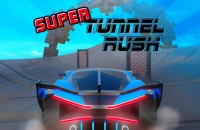
Tunnel Road is an exciting car game that puts your driving skills to the test as you navigate through challenging tunnels and winding roads. This game offers a fun and fast-paced experience where precision and quick reflexes are key to success. The great news is you can play Tunnel Road online directly in your browser with no download required, making it easy and convenient to jump into the action whenever you want.
About Tunnel Road
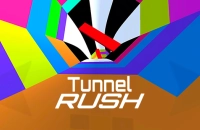
As a car game, Tunnel Road focuses on driving through a series of tunnels that may feature tight turns, obstacles, and varying road conditions. The goal is to keep your vehicle on the road while avoiding crashes and reaching the end of each level or stage. The game's simple concept combined with engaging gameplay makes it a great choice for kids and casual players looking for a quick and enjoyable driving challenge.
How to Play Tunnel Road
Getting started with Tunnel Road is straightforward. You control a vehicle that automatically moves forward along a tunnel road. Your main task is to steer the car to avoid hitting walls or obstacles. The objective is to drive as far as possible without crashing. The game usually starts once you press the start or play button, and you can begin maneuvering your car using the controls.
Mastering the Curves and Turns
One of the unique aspects of Tunnel Road is the emphasis on handling the twists and turns of the tunnel. Success depends on your ability to react quickly to sharp bends and change directions smoothly. Staying focused and anticipating upcoming turns will help you maintain control and avoid crashes. The sense of speed combined with the narrow tunnel environment makes each run exciting and challenging.
Tunnel Road Controls
The controls in Tunnel Road are designed to be simple and accessible. Depending on the device and platform, you may use keyboard, mouse, or touch controls to steer your car. Here is a general idea of the control setup:
- Keyboard: Use the arrow keys or WASD keys to steer left and right.
- Mouse: Move the mouse left or right to control the car’s direction.
- Touch: Swipe or tap on the screen to navigate the vehicle.
Tips and Tricks for Tunnel Road
- Stay calm and focus on smooth steering to avoid sudden crashes.
- Keep an eye on the tunnel walls and upcoming turns to prepare early.
- Practice makes perfect—repeated play will improve your reaction time.
- Use small, controlled movements instead of sharp turns for better control.
- If the game speeds up, try to maintain rhythm with the curves to stay on track.
Why Play Tunnel Road on Adventuregames.io?
Playing Tunnel Road on Adventuregames.io offers a hassle-free experience with quick access to the game right from your browser. There is no download necessary, so you can enjoy the game instantly without waiting. This platform also makes it easy to explore other fun car games and casual titles, providing a great way to discover new favorites alongside Tunnel Road.
Similar Games You May Like
If you enjoy the thrill of Tunnel Road, you might also like these other engaging car and driving games available on Adventuregames.io:
Frequently Asked Questions About Tunnel Road
Is Tunnel Road free to play?
Yes, Tunnel Road is completely free to play online, allowing you to enjoy the game without any cost.
Can I play Tunnel Road online?
Absolutely! Tunnel Road can be played directly online in your browser, providing quick and easy access.
Do I need to download Tunnel Road?
No download is required to play Tunnel Road. You can start playing instantly online with no installation needed.
What are the controls for Tunnel Road?
You can control Tunnel Road using your keyboard, mouse, or touch screen depending on your device. Typically, arrow keys or swipes are used to steer the car.
Can kids play Tunnel Road safely?
Yes, Tunnel Road offers simple, family-friendly gameplay that is suitable for kids and casual players alike.
Comments
No comments yet. Be the first to comment.