
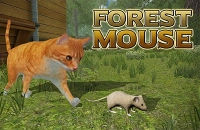








































































Play Forest Mouse Online
Step into a charming woodland adventure with Forest Mouse, a delightful casual game that invites players to explore and enjoy a cozy forest setting. Designed for quick and fun gameplay, Forest Mouse offers an engaging experience that is perfect for kids and casual gamers looking for a lighthearted break. You can play Forest Mouse online right in your browser with no download required, making it easy to jump into the action anytime, anywhere.
About Forest Mouse
Forest Mouse is a casual browser game centered around a small mouse navigating through a natural forest environment. The game’s simple and inviting concept revolves around guiding the mouse as it explores its surroundings, possibly collecting items or avoiding obstacles along the way. With its cute theme and straightforward gameplay, Forest Mouse offers a relaxing and enjoyable experience without complicated rules or steep learning curves.
How to Play Forest Mouse
The goal in Forest Mouse is to control the little mouse as it moves through the forest, completing simple tasks or challenges that may appear during the game. To start playing, load the game in your browser and follow the on-screen prompts. Players typically need to use either the keyboard or mouse to move the mouse character, interact with objects, and progress through the game’s stages. The game is easy to pick up, making it great for players of all ages.
A Cozy Escape into Forest Life
One of the special features of Forest Mouse is its peaceful and charming forest atmosphere. Unlike fast-paced or competitive games, this game offers a calming environment where players can unwind and enjoy gentle exploration. Whether it’s hopping between leaves, gathering forest treats, or simply wandering through the scenic backdrop, Forest Mouse provides a soothing experience that encourages relaxation and casual play.
Forest Mouse Controls
Controls for Forest Mouse are designed to be simple and intuitive, suitable for kids and casual players. Depending on your device, you may use keyboard keys, mouse clicks, or touch controls:
- Keyboard: Arrow keys or WASD to move the mouse
- Mouse: Click or drag to guide the mouse or interact with objects
- Touchscreen: Tap or swipe to control movements and actions
Tips and Tricks for Forest Mouse
- Take your time exploring the forest to find hidden items or surprises.
- Practice controlling the mouse’s movements smoothly to avoid obstacles.
- Pay attention to the environment for clues or helpful hints.
- Use quick reactions when needed to jump or dodge hazards.
- Enjoy the peaceful setting—there’s no rush, so have fun at your own pace.
Why Play Forest Mouse on Adventuregames.io?
Playing Forest Mouse on Adventuregames.io is a convenient choice for casual gamers. You can enjoy the game instantly in your browser with no download or installation needed, which means you can start playing right away. The website offers easy access to Forest Mouse alongside a wide selection of similar casual games, making it simple to discover new favorites after your forest adventure. It’s a hassle-free way to enjoy fun and relaxing games in one place.
Similar Games You May Like
If you enjoy the casual and charming feel of Forest Mouse, you might also like these other fun browser games:
Frequently Asked Questions About Forest Mouse
Is Forest Mouse free to play?
Yes, Forest Mouse is completely free to play online without any charges.
Can I play Forest Mouse online?
Absolutely! Forest Mouse is available to play online directly in your browser.
Do I need to download Forest Mouse?
No download is required to play Forest Mouse. It runs smoothly in your web browser.
What are the controls for Forest Mouse?
The game can be controlled using keyboard keys, mouse clicks, or touchscreen taps, depending on your device.
Is Forest Mouse suitable for kids?
Yes, Forest Mouse offers simple and friendly gameplay that is great for children and casual players alike.
Comments
No comments yet. Be the first to comment.